WordPress Child Theme – Change Header Image Size
WordPress Child Theme Case Study: 2020 Euro Lens Bath Create a Child Theme (style.css and functions.php files) In the functions.php file, add:
Mission: Create e-commerce Website using WordPress Client: 2020 Euro Lens Bath Art director, re-branding manager & Website designer: Jay Miller Solution: Use WordPress for content management (CMS) Use GetShopped’s WP e-Commerce plugin for the shopping cart Customize WordPress’s default Twenty Ten 1.2 theme by creating a child theme
WordPress version: 3.1 WordPress theme: Twenty Ten 1.2 WP e-Commerce version: 3.8 Problem: The “Insert into Post” button is missing when trying to insert a product image into a WP e-Commerce Product Page Solution: File: root/wp-content/plugins/wp-e-commerce/wpsc-admin/includes/display-items-functions.php Line 1102: Change td.savesend input.button { display: none; } To td.savesend input.button { display: block; } WARNING: I have…
Error message: Warning: Cannot modify header information – headers already sent by (output started at /home/content/25/7659925/html/wp-content/themes/corporattica/functions.php:147) in /home/content/25/7659925/html/wp-includes/pluggable.php on line 897 Solution: Remove ALL empty lines/white spaces in the functions.php. This worked for me when using the WordPress Corporattica theme Removed single white space that was in front of <php? on line 147 (IE: I…
http://wpsmith.net/wordpress/how-to-widgetize-the-home-page-of-the-expose-genesis-child-theme/ http://digwp.com/2010/02/how-to-widgetize-wordpress-theme/ http://wpmu.org/how-to-widgetize-a-page-post-header-or-any-other-template-in-wordpress/ http://digitalraindrops.net/2010/08/widgetized-areas/ (NOTE: some of the code is NOT perfect. If you experience a broken site, double-check the PHP) Further code & layout instructions: http://digitalraindrops.net/2010/08/content-page/ Really need to start at the beginning of the tutorial: http://digitalraindrops.net/templates/
Frontpage-Slideshow Feature Slideshow Front Slider WP Nivo Slider WordPress NextGEN Gallery JJ NextGen JQuery Slider (to work w/ NextGEN Gallery) Playing around with the above sliders to produce a Home page image slider.
Under Construction Sites – 10 WordPress Themes and 4 Plugins WP Maintenance Mode plugin (ThemeFuse) WP Maintenance Mode plugin (Frank Bültge) I’m not vouching for any of these WP themes or plugins, yet. But I am gonna look into using one of’em.

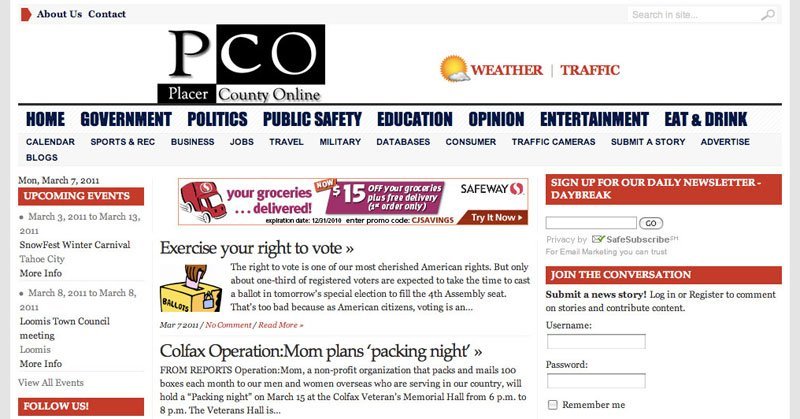
Client: Placer County Online Overview: Produce a 60-80+ page Website for hyper-local news in Placer County that was also easy to edit through the back-end. A lot of functionality was required to cover all of the client’s criteria. Process: Working with the client, we researched pre-designed “news” WordPress templates from Template Monster that best matched…
1. WordPress Simple PayPal Shopping Cart Plugin Sell products or services online in one click from your WordPress blog. This plugin also allows you to add the shopping cart anywhere in a post or page or sidebar easily. The shopping cart shows the user what they currently have in the cart and allows them to…
Adding a second menu to the Speaky WordPress theme from WPBeginner, even though this tutorial is for adding a second menu specifically to the TwentyTen WordPress theme. Tutorial: http://digitalraindrops.net/2010/08/the-second-menu/ Files affected: functions.php header.php navigation-2.php (new file) style.css Note: Since I didn’t want the second menu to look different from the main menu, as the tutorial…