Copy Layer Effects To New Layer – Affinity Designer
On Mac:
- Ctrl+C to copy the source layer (or Menu > Edit > Copy)
- Then Shift+Cmd+V on the target layer to paste the layer style only (or Menu > Edit > Paste Style)
On Mac:

Graphic designer since before the Internet. Started with newspaper paste-up; then art director for advertising agency in Reno, NV; and now freelancer designing marketing materials, print-on-demand t-shirt art, websites, and social media graphics.
This tutorial uses Affinity Photo and the Blend Options panel is super-useful. This tutorial is for Affinity Designer and uses Pixel Persona > Brushes > Textures > Halftone Brush 01 to create the halftone.
The goal is to make vertical text on a curved path. But since Affinity Designer doesn’t have a straight-forward way of accomplishing this effect we need to jump through a few hoops: Starting in Affinity Designer Making text outlined Switching to Affinity Photo and using the Warp Tool Switching back to Affinity Designer Warnings: Converting…
The goal was to distort the perspective of vector art in Affinity Designer. Unfortunately, the Distort Perspective tool is only available in Affinity Photo (which transforms the original vector art into raster art). This is not ideal. I wanted to distort the perspective of vector art like I could in Adobe Illustrator, not end up…
Direct-to-garment (DTG) printing alert for semi-transparent artwork on dark colored tees. I originally had a beautiful gradient from orange to transparent, which would allow the text to gradient from orange to the color of the shirt. Except direct-to-garment (DTG) printing can’t accommodate any transparency in the artwork when the artwork is being printed on dark…
Now that I’ve spent time meticulously drawing a cowboy boot in Affinity Designer for an Every Floor Is A Dance Floor™ t-shirt, I’m getting deeper into the actual design profile of a cowboy boot. Cowboy Boots Hub has an excellent article, Everything You Need To Know About Cowboy Boots, showcasing 5 different design styles as…
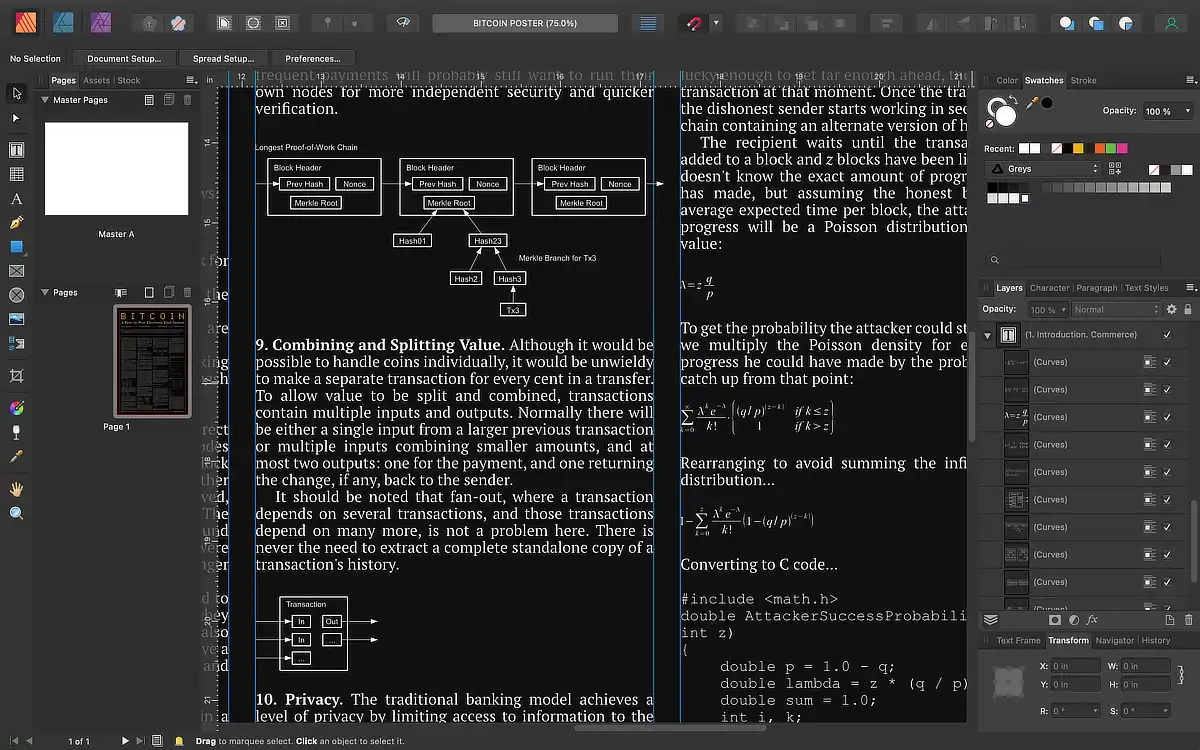
Finally converted all of the Bitcoin White Paper’s charts and math formulas into vector outline art objects for a poster layout. Pulled each chart/formula directly from the Bitcoin White Paper PDF and pasted into Affinity Designer. Then outlined all text, expand stroke on all strokes, made sure all grouped objects were ungrouped, then selected all…