PageLines Framework – Grid Columns
PageLines Columns
See demo section: “Grid System – the simplest and easiest way to magazine layouts without code” (toward the bottom of the Demo page).
See demo section: “Grid System – the simplest and easiest way to magazine layouts without code” (toward the bottom of the Demo page).

Graphic designer since before the Internet. Started with newspaper paste-up; then art director for advertising agency in Reno, NV; and now freelancer designing marketing materials, print-on-demand t-shirt art, websites, and social media graphics.
Problem: I can’t change the color of the text in the navigation using CSS. It’s way too confusing, and the SuckerFish nav CSS seems to always override my custom CSS. And there’s no way to change the color of nav text in the admin. Ugh! Note per the PageLines Forum: PageLines Framework 2.0’s Color Controls…
How to add Yelp & Pinterest buttons to PageLines Framework’s Branding section. http://forum.pagelines.com/topic/21979-where-is-pinterest-icon-in-branding-section/ 1. Add the following Action Hook to functions.php: 2. Upload Yelp & Pinterest button graphics to child theme/images folder.
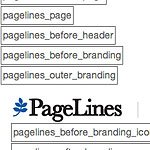
PageLines Framework Action Map (as of Sept 2013) shows where all the Action Hooks are for PageLines Framework. Note: Almost none of the links work anymore. This attached graphic is the only valuable part of the page. Click to Enlarge.
PageLines Essential Training Your First Section More PageLines Framework 2.0 tutorials are available on their PageLines YouTube channel
Goal: Custom Widget colors, text and rounded corners: Title: dark-blue background; bold, white font. Body: medium-blue background; rounded top-left/right corners. NOTE: these are only initial customizations. More is required. Solution: Add the following CSS to Child Theme stylesheet.
Goal: Have a graphic in PageLines Branding section and have it aligned with the bottom of the site logo, as well as aligned flush-right. PageLines Framework v2.1.3 WordPress v 3.3.1 1. Turn off RSS/social media icons: WP admin -> PageLines -> Settings -> Header And Footer -> UNtick “Display the Blog RSS icon and link?”…